Family organizer & RPG gamification
Chores become a family adventure
Family organizer and RPG gamification for families: chores become quests that earn stars, XP and levels, on top of a Family Blueprint.
- 4
- quest types: daily, weekly, once, reflection
- 8
- steps in the Family Blueprint
- 90
- days of Family Priorities
- An account per member — no secret links
- Stars, XP and streaks are computed on the server
- Works without JavaScript, even on an old phone
- Indonesian & English, RPG theme
How it works
Three steps from an empty account to kids racing to tick their quests.
- 1
Create a family, write the Blueprint
Sign up, create the family, invite your partner with a link. Fill in the Family Blueprint: core values, vision, rules & habits, 90-day priorities — saved at every step.
- 2
Quests for every hero
Write quests yourself or let the Blueprint generate them from your rules & habits — with a preview before anything is saved. Each quest can carry one Core Value.
- 3
Tick, collect, redeem
A child ticks a quest, stars and XP go up, levels follow, the streak holds. Stars buy the rewards the parents set — with one confirmation step.
Everything a family needs
The behaviour proven in the old app, rebuilt on a safer foundation.
-
Four quest types
Daily, weekly, once and reflection. Automatic resets in the family's time zone, without anyone having to open the app.
-
Stars, XP, levels, streaks
XP = stars × 2, a new level every 100 XP. Streaks have a one-day grace: one missed day is a rest, not a restart from zero.
-
Reward shop
Parents stock a shelf of rewards for the kids and one for themselves. Redeeming goes through one confirmation, so a stray tap never spends stars.
-
Family Blueprint
An 8-step wizard: Family Mirror, core values, vision & mission, roles, rules & habits, up to the 90-Day Priorities. Editable any time without resetting the day count.
-
Evening Reflection & Family Mirror
A daily score per priority plus free notes. The Family Mirror is filled by both parents separately at the start and on days 30, 60 and 90.
-
Family Compass
The parents' home page as a car dashboard: a gauge of 90-Day Priority adherence, warning lights, and the Family Meeting streak.
-
Kid Mode
A child logs in with an avatar and a PIN on the shared tablet, sees only their own quests, in a dark RPG theme with a tab bar made for small hands.
-
Measured consequences
Four consequence modes for a missed quest — half, full, streak, or a fixed amount — off by default and set per family.
For the kids
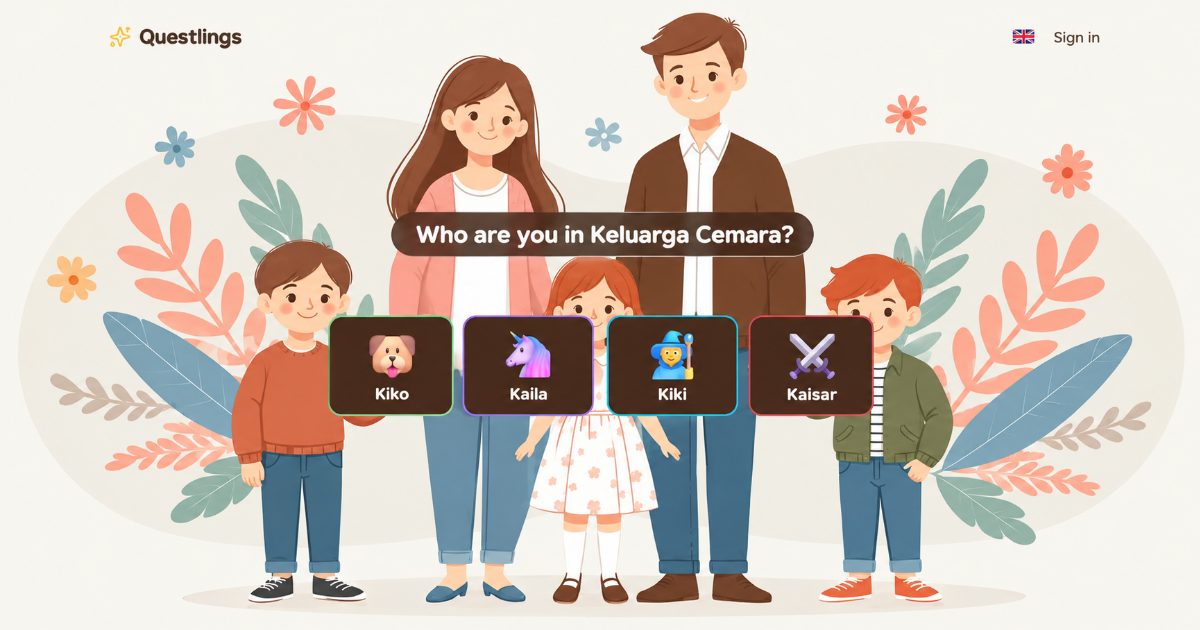
Logging in is as easy as picking your own face
A parent pairs the family tablet or phone once. From then on the kids login page shows that family's children, on top of a family picture of your choosing.
- Pick an avatar, type a PIN — no email, no password
- Only their own quests, rewards and progress are shown
- Big shortcuts to Quests and Rewards, one tap to leave
- Every child has their own account; roles are enforced on the server, not just on screen
For the parents
Not just a chore list — a direction for the family
Quests are only the tip. Behind them is the Blueprint you write together, a reflection every evening, and a mirror that shows what changed in 90 days.
-
A living Blueprint
Rules & habits in the Blueprint turn straight into quests — daily for everyone, weekly for the parents, once for the priorities.
-
Evening Reflection
Once a day, a 1–10 score per running priority. At least one score, notes optional.
-
Before vs Now report
The Family Mirror compared per dimension: the baseline against the latest checkpoint, instead of an unreadable multi-line chart.
-
Family Meeting
Log the sessions you held; the streak counts per week, and checkpoint reminders for days 30/60/90 arrive through the dashboard bell.
Frequently asked questions
Does a child need an email or a password?
No. A parent creates the child's account inside the app: a name, an avatar and a PIN of at least 6 digits. The child logs in from the kids login page on a paired device.
What if someone learns our family code?
There is no family code. Family data is reached only through member accounts and invitation links a parent creates and can revoke. Knowing an ID grants nothing.
What happens when a daily quest is missed?
The server resets quests every day in the family's time zone, even if nobody opens the app. Streaks get one day of grace; consequences apply only if the parents switch them on.
Can we use several devices, or belong to more than one family?
Yes. Parents can pair several tablets or phones, and one account can be a member of more than one family, with a picker for the active one.
Does it need to be online, or a new phone?
Questlings is a server-rendered web app: ticking quests, redeeming rewards and filling in the reflection work without JavaScript, so it stays light on old phones and slow connections.
Start your family's adventure
One family, one Blueprint, a quest for every hero. Put it on the living-room tablet and see what changes in 90 days.
Questions, or want to activate a subscription? Contact halo@carik.id.